
Child-Friendly AI Tools vs Higher-Risk Platforms
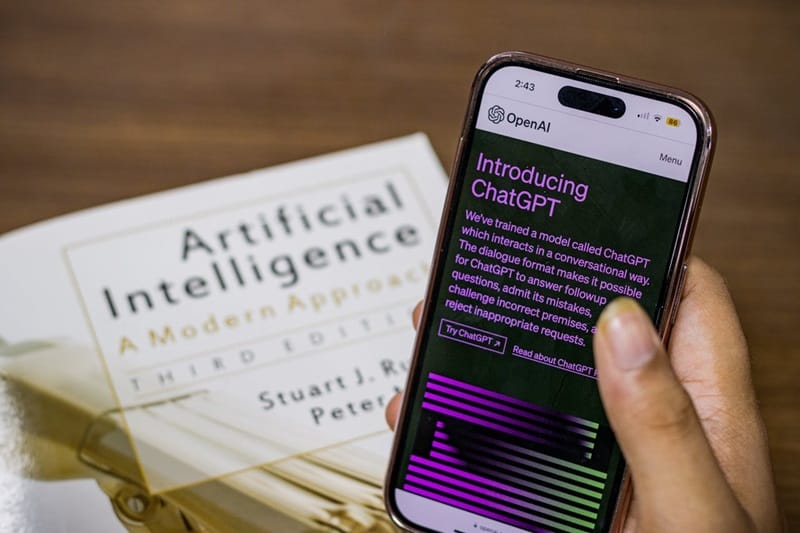
Artificial intelligence is increasingly integrated into everyday digital life, from homework helpers and language apps to social chatbots and creative AI assistants. But not all AI is created equal. Some technologies are designed with children’s safety, privacy, and development in mind, while others pose hidden risks that parents should be aware of.
Understanding the difference can help you choose tools that support your child’s learning and creativity without exposing them to harm.
Key Comparison: Child-Friendly AI Tools vs Higher-Risk Platforms
| Feature / Concern | Child-Friendly AI Tools | Higher-Risk Platforms |
|---|---|---|
| Primary Purpose | Education, creativity, age-appropriate interaction | Entertainment, social networking, adult-oriented AI chat |
| Safety Controls | Built-in parental controls, strict moderation | Minimal controls, user-generated content |
| Data Privacy | Limited data collection, transparent policies | Extensive data tracking, unclear usage |
| Content Generation | Filtered, age-appropriate responses | Unfiltered AI output, possible adult content |
| Social Interaction | Closed networks (peers only, supervised) | Open networks (strangers, unknown contacts) |
| Academic Support | Learning-focused, structured guidance | Unverified answers, risk of plagiarism |
| Emotional Risk | Low (clear boundaries, no emotional simulation) | High (attachment to AI personas) |
| Complexity | Simple, guided use | Complex, ambiguous, unpredictable |
Child-Friendly AI Tools
These tools are typically designed with younger users in mind and prioritise safety, educational value, and appropriate interaction.
What Makes Them Safer
Child-friendly AI tools generally follow best practices in digital wellbeing:
- Clear age ratings: Tools explicitly state the age range they are suitable for.
- Limited interaction scope: AI responses are curated to avoid harmful or adult topics.
- Parental controls: Parents can set limits on time, features, and interactions.
- Transparent privacy policies: They collect minimal data and explain how it’s used in straightforward terms.
- No unsupervised social access: Communication typically happens only within approved groups or environments.
Examples of Child-Friendly AI Tools (Note: Always verify current availability before installing.)
AI Learning & Tutoring Assistants
Khanmigo (Khan Academy’s AI Tutor)
- Designed for education, aligned with curricula.
- Helps students learn maths, science, reading, and more.
- Does not provide social chat or unstructured conversation.
Duolingo Chatbots (for language learning)
- Offers controlled dialogue in different languages.
- Built-in limitations prevent inappropriate content.
Creativity and Exploration
DALL-E for Kids (Kid-Appropriate Creative AI)
- Generates art from simple prompts with safe filters.
- Encourages creativity rather than imitation of adults.
Scratch AI Extensions
- Introduces machine learning concepts within guided blocks.
- Helps children explore computational thinking in age-appropriate ways.
Coding & Skill Building
Teachable Machine (Google)
- Lets children experiment with simple AI models.
- Visual and guided, no open text prompts.
AI Storyteller (Educational)
- Helps children co-write stories with ethical guardrails.
- Promotes literacy and imagination.
Higher-Risk AI Platforms
These tools are often powerful, unfiltered, and designed for general users, which makes them less suitable for children without supervision.
Why They Pose Greater Risk
Unlike child-friendly tools, higher-risk platforms may:
- Generate unmoderated content, including explicit or misleading responses.
- Track extensive behavioural data for profiling and ad targeting.
- Enable open social interaction with strangers (e.g., via voice or chat).
- Lack clear safety features or straightforward parental controls.
- Present AI as a “friend” or supportive companion, which can lead to emotional dependence.
Common Higher-Risk AI Platforms (Useful for parents to know what to supervise or restrict.)
General AI Chatbots
ChatGPT / GPT-Series Tools (Public Access)
- Excellent for general information but unpredictable and unfiltered.
- Can generate adult content, misinformation, and inappropriate answers.
- Requires active parental guidance if children use it for homework.
Mobile Assistant Bots in Games/Apps (No Parental Filters)
- Chat features in gaming platforms (e.g., AI NPCs, open chat rooms) can be exploited by strangers.
- Many use AI to generate responses without safety checks.
Social Platforms with AI Features
AI-Driven Social Apps (TikTok, YouTube, Snapchat)
- Algorithms surface content based on engagement, not child development.
- Can expose children to age-inappropriate content or addictive loops.
- AI recommendations can personalise unhealthy behaviours.
Open World Multiplayer with AI Chat (VRChat, Horizon Worlds)
- Real-time AI interaction mixed with user content.
- Difficult to moderate in real time, especially for younger children.
What Makes a Platform High-Risk?
A platform becomes higher-risk when:
- There is open communication with strangers.
- AI content is unfiltered, unmoderated, or unpredictable.
- AI responses are treated as truth by default (children may assume correctness).
- There are no age-appropriate guardrails, audit trails, or oversight.
How You Can Navigate the Difference
Understanding which AI tools fall on the safer side and which require supervision is vital. Here’s how you can guide your child through these distinctions:
Focus on Intentional Use, Not Just Restrictions
Instead of simply blocking access to AI tools, work with children to define how and why they should use them:
- Purpose-first usage: AI for research or learning (e.g., researching a historical event with a parent present) is different from using AI as a “companion”.
- Outcome understanding: Children should be encouraged to verify AI responses using multiple reliable sources.
Set Contextual Boundaries
Higher-risk platforms do not need to be completely off-limits if they are used in a context that includes supervision and discussion.
- Use them together initially.
- Explain that AI answers need verification.
- Show them how to distinguish between AI opinion vs factual data.
Teach Critical Thinking about AI Outputs
Children must understand that AI:
- Does not think like humans.
- Is trained on large datasets that may contain bias.
- Can generate plausible-sounding but incorrect answers.
Ask them reflective prompts such as:
- “How do you know this answer is correct?”
- “Can we find another source to verify this?”
This reinforces media literacy rather than passive consumption.
Prioritise Privacy and Data Awareness
Many AI tools collect data to personalise output. For children:
- Limit the use of tools that ask for personal details.
- Set strong privacy settings when possible.
- Teach children to protect their digital identity (no sharing names, birthdays, school names, addresses).
Balance AI Use with Offline Experiences
Even safe, educational AI tools should not replace:
- Face-to-face interaction
- Hands-on play and exploration
- Sports and physical activity
- Creative activities without screens
Balance fosters healthier cognitive development and emotional regulation.
Related Article:
An Age-by-Age Guide to Talking to Kids About AI (Without Fear or Overreaction)
Choosing Tools Wisely: A Parent Checklist
When evaluating any AI tool, ask:
- Does it have clear age ratings?
- Are there parental controls or supervision modes?
- Does it collect more data than necessary?
- Can it be used under adult supervision first?
- Is the purpose educational or purely entertainment?
- Are AI responses explainable or verifiable?
If you answer no to multiple questions, treat the platform as higher-risk and adjust supervision accordingly.
Raising Tech-Smart, Not Tech-Fearful Kids
AI is not going away. In fact, learning to navigate it wisely is becoming as essential as reading, writing, or numeracy.
Rather than avoiding AI entirely, which is neither realistic nor necessary, parents can prepare children to interact with technology in ways that support growth, learning, and safety. By understanding the difference between child-friendly AI tools and higher-risk platforms, you can set intentional boundaries, foster digital resilience, and help your child make technology work for them.

Community Ambassador; as someone who was raised in a rather privileged family, I hope to address the inequity in educational outcomes based on the circumstance of birth. Bounced around between Australia and Singapore a fair bit.